Guides → WiFi LED Weather Forecast Display
WiFi LED Weather Forecast Display
Show what the weather will be, not just what it is — forecast temperature and conditions for any city, anywhere from 3 to 24 hours ahead, updating on its own over Wi-Fi.
What you need
- A DataPix, powered on and joined to your Wi-Fi (see Setup).
- A free OpenWeatherMap API key — the same one the Weather preset uses.
Step by step
-
Open the interface
From a browser on the same network, open the device's IP address shown on the panel.
-
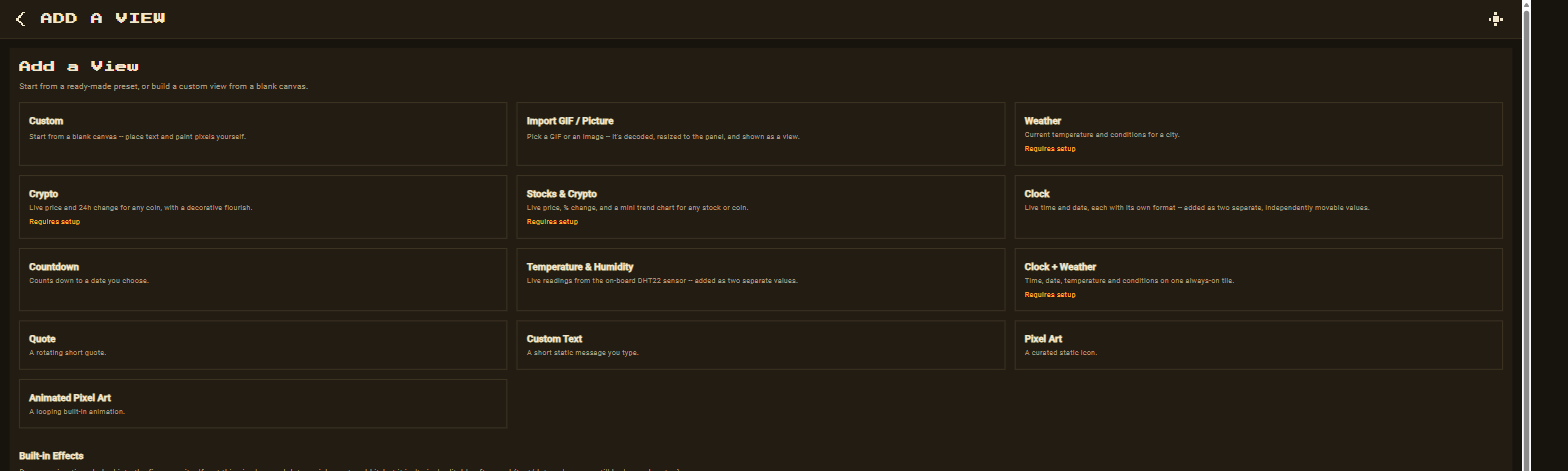
New view → Weather Forecast
Go to Views → New view and pick the Weather Forecast preset.
-
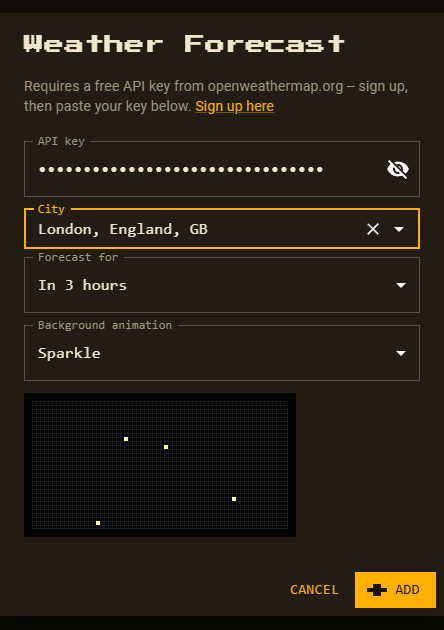
Paste your key, search a city, choose how far ahead
Paste your OpenWeatherMap key, type the city and pick the matching result. The Forecast for dropdown picks one of OpenWeatherMap’s 3-hour slots: in 3 hours up to in 24 hours.
-
Pick a background animation
Sparkle is preselected; choose any of the 14 animated patterns or 26 full-panel effects, or None. A live preview plays right under the dropdown. Subtle patterns keep text easiest to read.
-
Customize and save
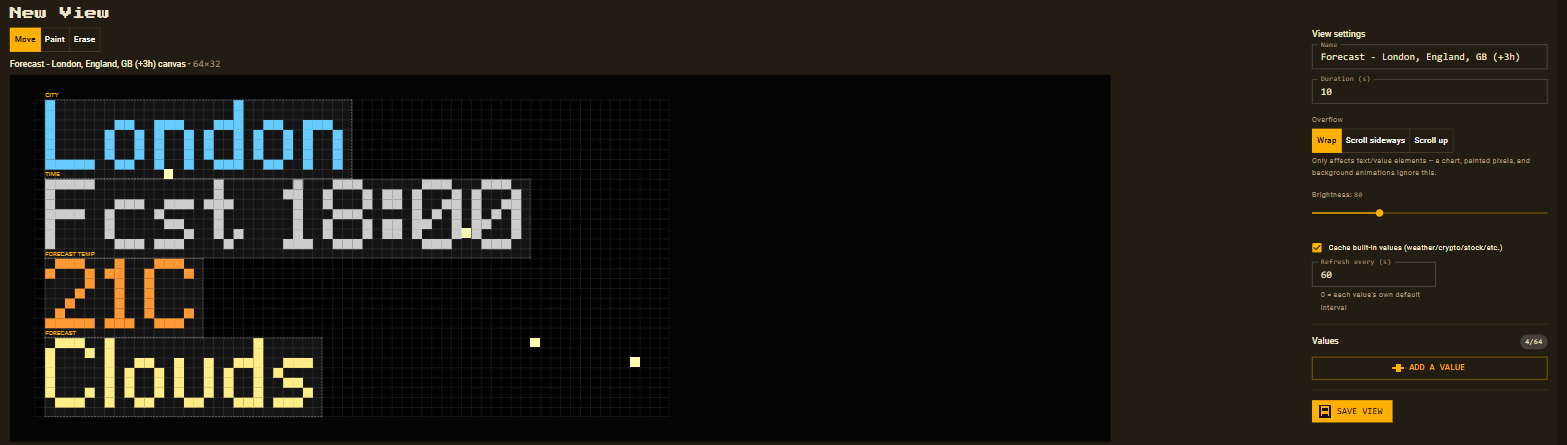
Click Add. The editor opens with four separate, movable values — city, forecast time, temperature and condition. Reposition and recolour anything, then Save.
What shows on the panel
- The city name, as OpenWeatherMap spells it.
- The forecast time, e.g.
Fcst 18:00, so the tile never reads as current conditions. - The forecast temperature in °C and the condition (Rain, Clouds, Clear…).
Want now and later? Add a Weather view too — both rotate on the panel, and they share one API key.