Guides → WiFi LED Sports Scoreboard
WiFi LED Sports Scoreboard
Follow your team from across the room — the next fixture, a live status, the last game, a league table, or every game on today’s schedule. Works out of the box: no sign-up needed.
What you need
- A DataPix, powered on and joined to your Wi-Fi (see Setup).
- Nothing else — the preset comes pre-filled with TheSportsDB’s free public test key. Paste your own key for higher limits.
Step by step
-
Open the interface
From a browser on the same network, open the device's IP address shown on the panel.
-
New view → Sports
Go to Views → New view and pick the Sports preset.
-
Choose what to follow
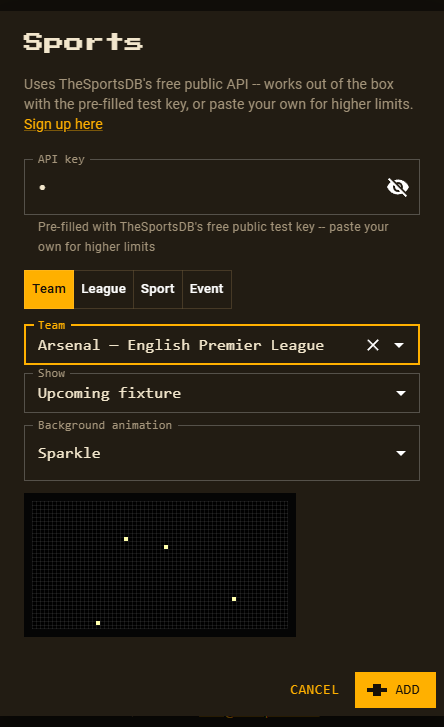
Pick one of four tabs — Team, League, Sport or Event — and fill in its fields. Every combination is listed below.
-
Pick a background animation
Sparkle is preselected; choose any of the 14 animated patterns or 26 full-panel effects, or None. A live preview plays right under the dropdown. Subtle patterns keep text easiest to read.
-
Customize and save
Click Add, rearrange or recolour anything in the editor, then Save.
Every kind of sports view
One preset, four tabs, nine different views. Each one is an ordinary view afterwards — make as many as you like and let them rotate.
Team — follow one club
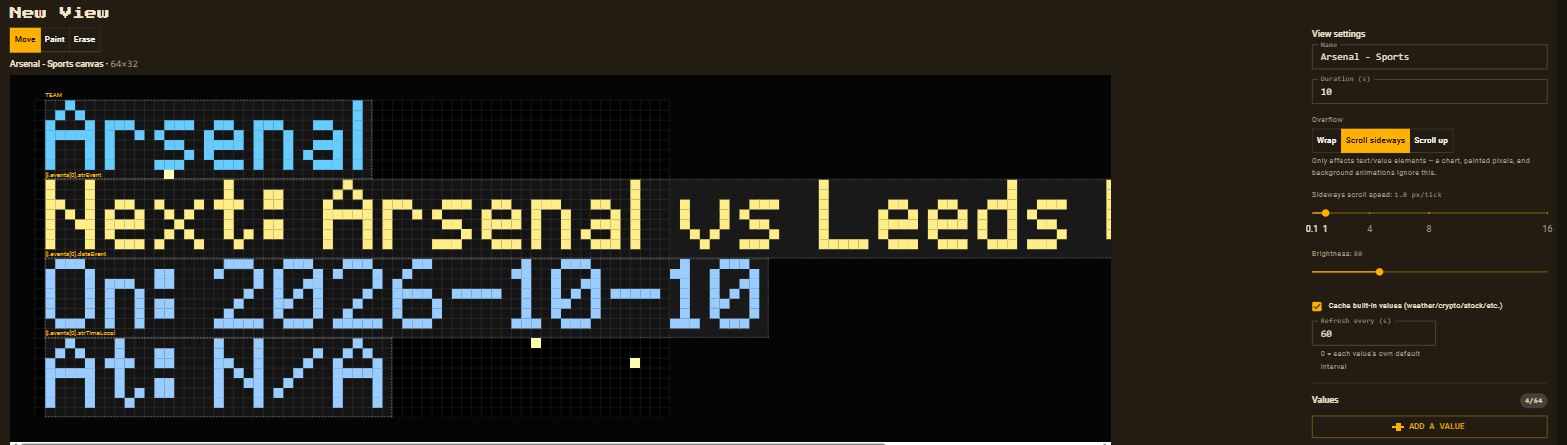
Search any team TheSportsDB knows, then pick what to Show:
| Show | On the panel | Refreshes |
|---|---|---|
| Upcoming fixture | team name, Next: Arsenal vs Leeds United, On: 2026-10-10, At: 15:00 | every 6 hours |
| Live status | team name, Live: <match>, Status: <code> for the team’s current or next match | every 6 hours |
| Previous result | team name, Last: <match> with its date and time | every 5 minutes |
League — a whole competition
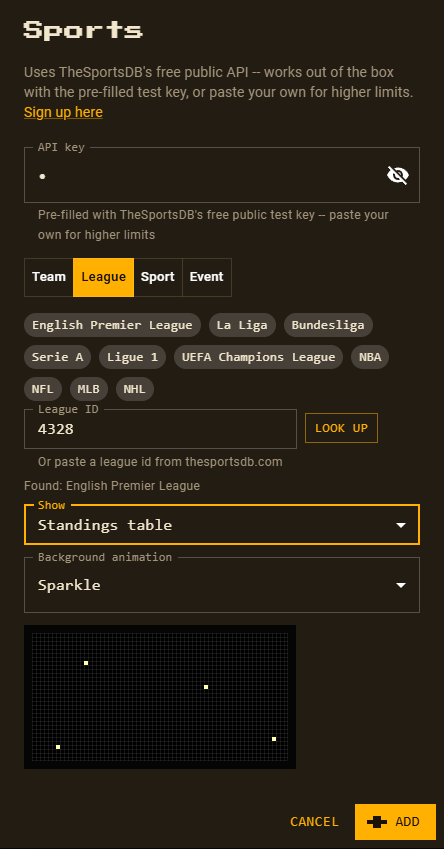
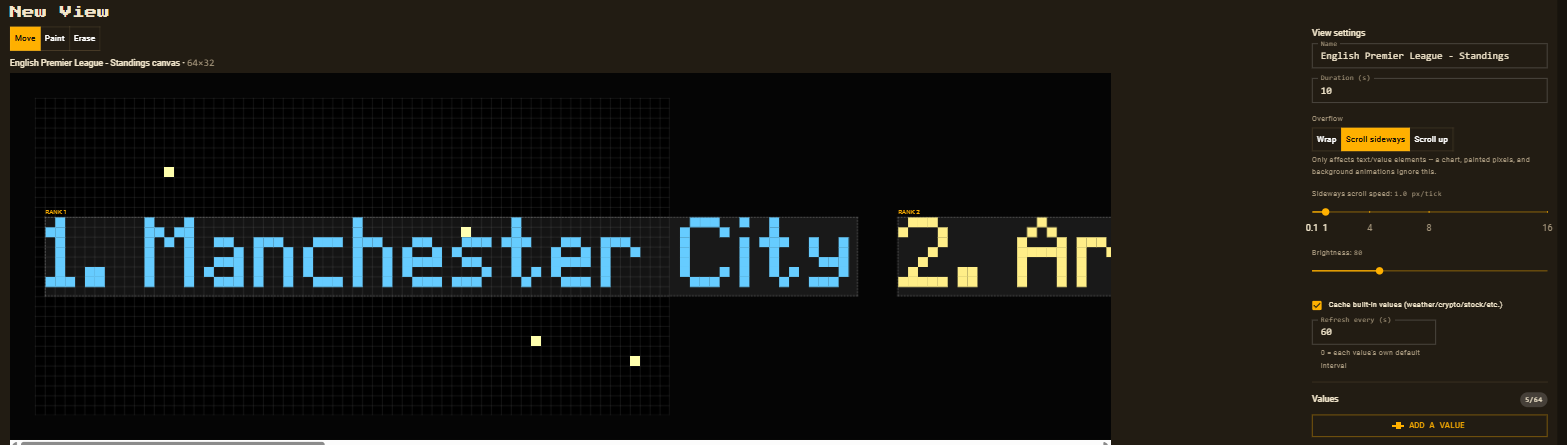
Tap a popular league — English Premier League, La Liga, Bundesliga, Serie A, Ligue 1, UEFA Champions League, NBA, NFL, MLB, NHL — or paste any league ID from thesportsdb.com and press Look up. Then pick what to show:
| Show | On the panel | Refreshes |
|---|---|---|
| Upcoming fixture | league name and the league’s next match, date and time | every 6 hours |
| Live status | league name, the current or next match and its status | every 6 hours |
| Previous result | league name and the most recent match, date and time | every 5 minutes |
| Standings table | the table as one scrolling line: 1. Manchester City 2. Arsenal… | every 30 minutes |
Sport — every game on a day
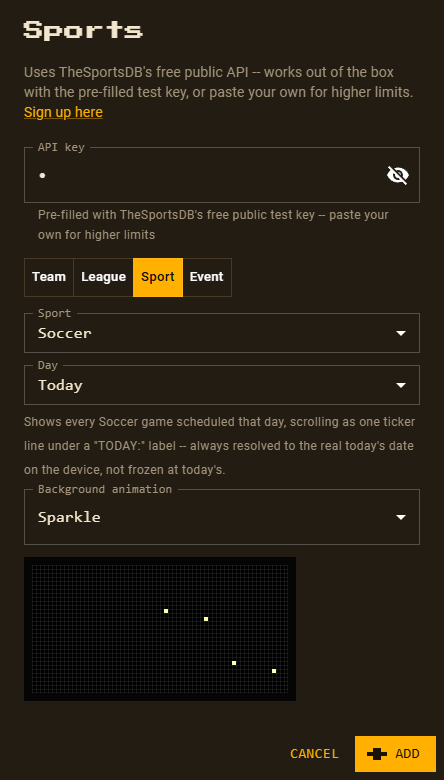
Pick a sport — Soccer, Basketball, American Football, Baseball, Ice Hockey or Rugby
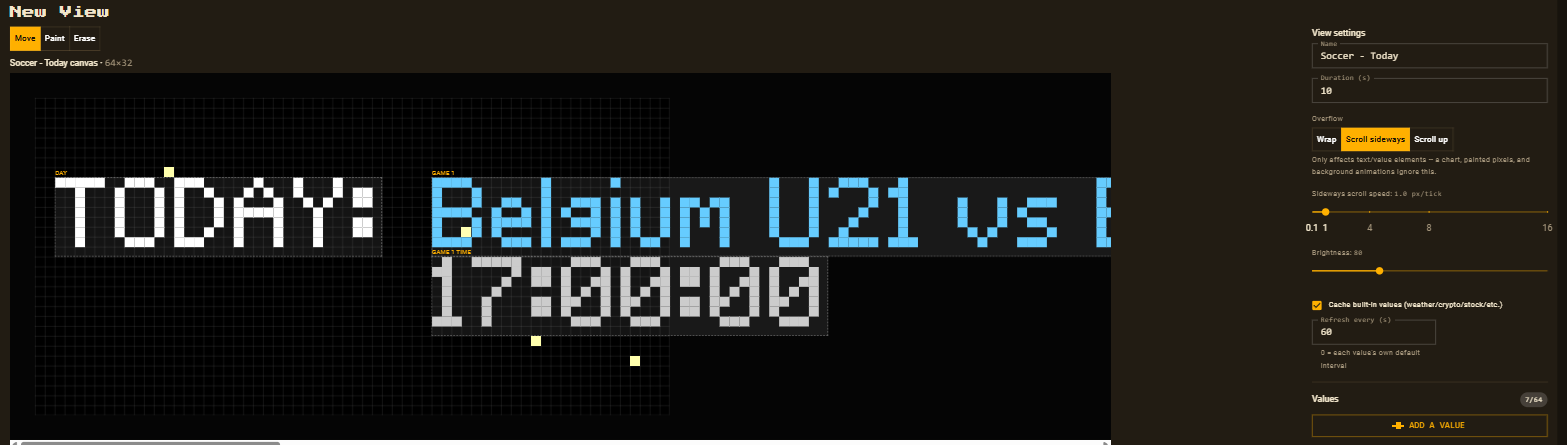
— and a day from Today up to 6 days ahead. Every game scheduled that day scrolls past as
one ticker line, each with its kick-off time, after a TODAY: / TOMORROW: label.
The day is relative, so a “Tomorrow” view keeps showing tomorrow’s games every day.
Refreshes every 30 minutes.
Event — one pinned match
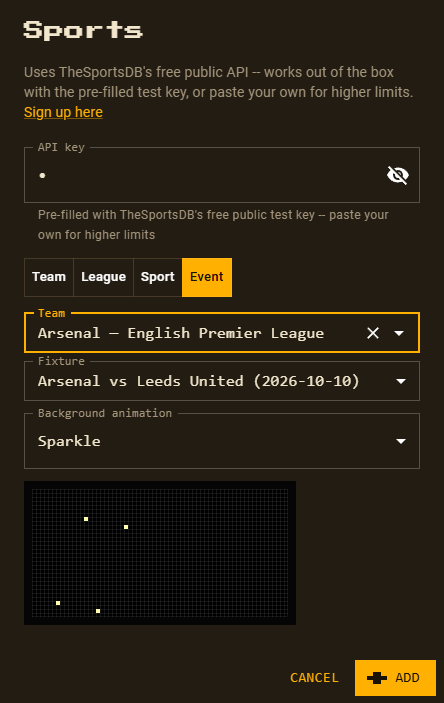
Search a team, then choose one of its upcoming or recent fixtures from the Fixture list.
The view follows that single match: teams, Status:, On: date and At:
time. Refreshes every 5 minutes — lower the view’s Refresh every setting on match day.
Good to know
- The refresh times above apply when the view’s Refresh every (s) is set to 0; new views start at 60 seconds.
- Previous result shows which match was played and when — not the score.
Status:shows TheSportsDB’s own short code, e.g.NS(not started),FT(full time).- A kick-off time TheSportsDB hasn’t published yet shows as
N/A— common for matches more than a few days away. - With the free test key, a league table returns its top 5 teams.