Guides → WiFi LED News Ticker
WiFi LED News Ticker
A scrolling headline ticker from any news site, blog or podcast feed — latest headlines, refreshed on their own over Wi-Fi.
What you need
- A DataPix, powered on and joined to your Wi-Fi (see Setup).
- The address of an RSS or Atom feed — or just pick one of the built-in news feeds.
Step by step
-
Open the interface
From a browser on the same network, open the device's IP address shown on the panel.
-
New view → RSS Headlines
Go to Views → New view and pick the RSS Headlines preset.
-
Choose a feed
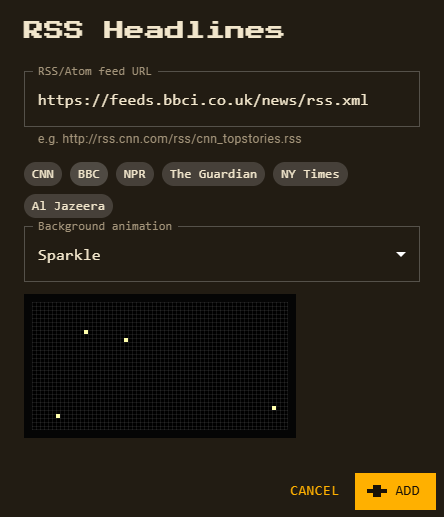
Tap a popular feed — CNN, BBC, NPR, The Guardian, NY Times or Al Jazeera — or paste any RSS / Atom feed URL.
-
Pick a background animation
Sparkle is preselected; choose any of the 14 animated patterns or 26 full-panel effects, or None. A live preview plays right under the dropdown. Subtle patterns keep text easiest to read.
-
Customize and save
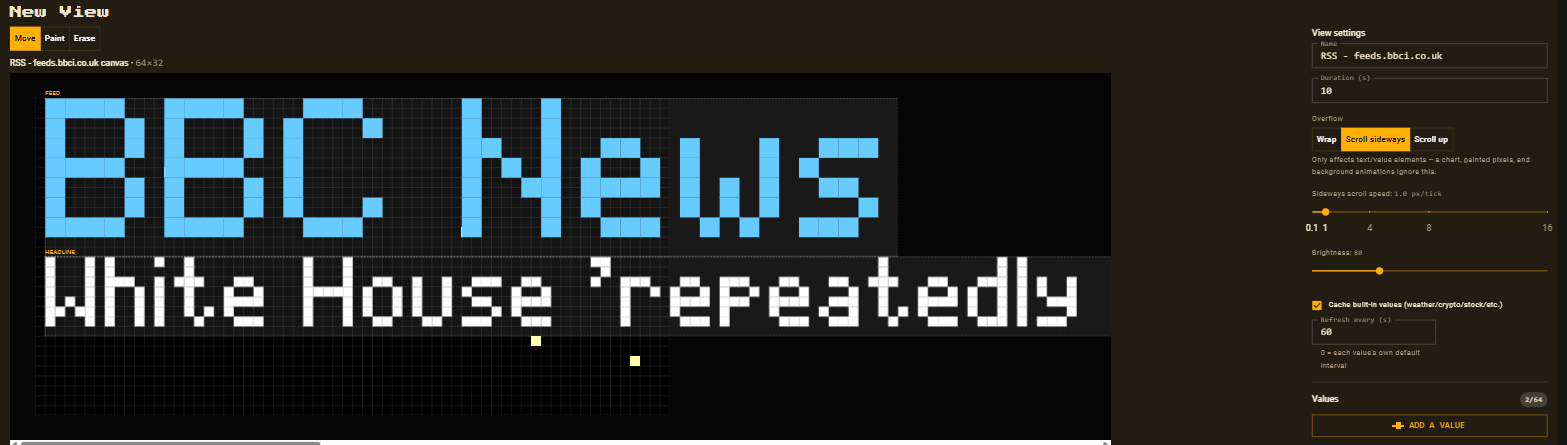
Click Add. The feed’s own title sits on top and the headlines scroll sideways underneath — restyle either, then Save. Saving also adds the feed to your data sources.
Good to know
- The latest headlines are joined into one scrolling line; the view waits for the line to finish before rotating to the next view.
- Prefer reading them as a list? Set the view’s overflow to Scroll up: each headline starts on its own line, wraps between words to fit the panel, and the whole list rolls upward like credits.
- The feed refreshes every 10 minutes and becomes one of your 8 custom data sources.
- Big feeds are fine — the device reads the first 24 KB, which holds the newest headlines.
- The panel font is plain ASCII, so accented letters are shown without their accents (é → e).