Guides → Accounts & API Keys
Manage Accounts & API Keys
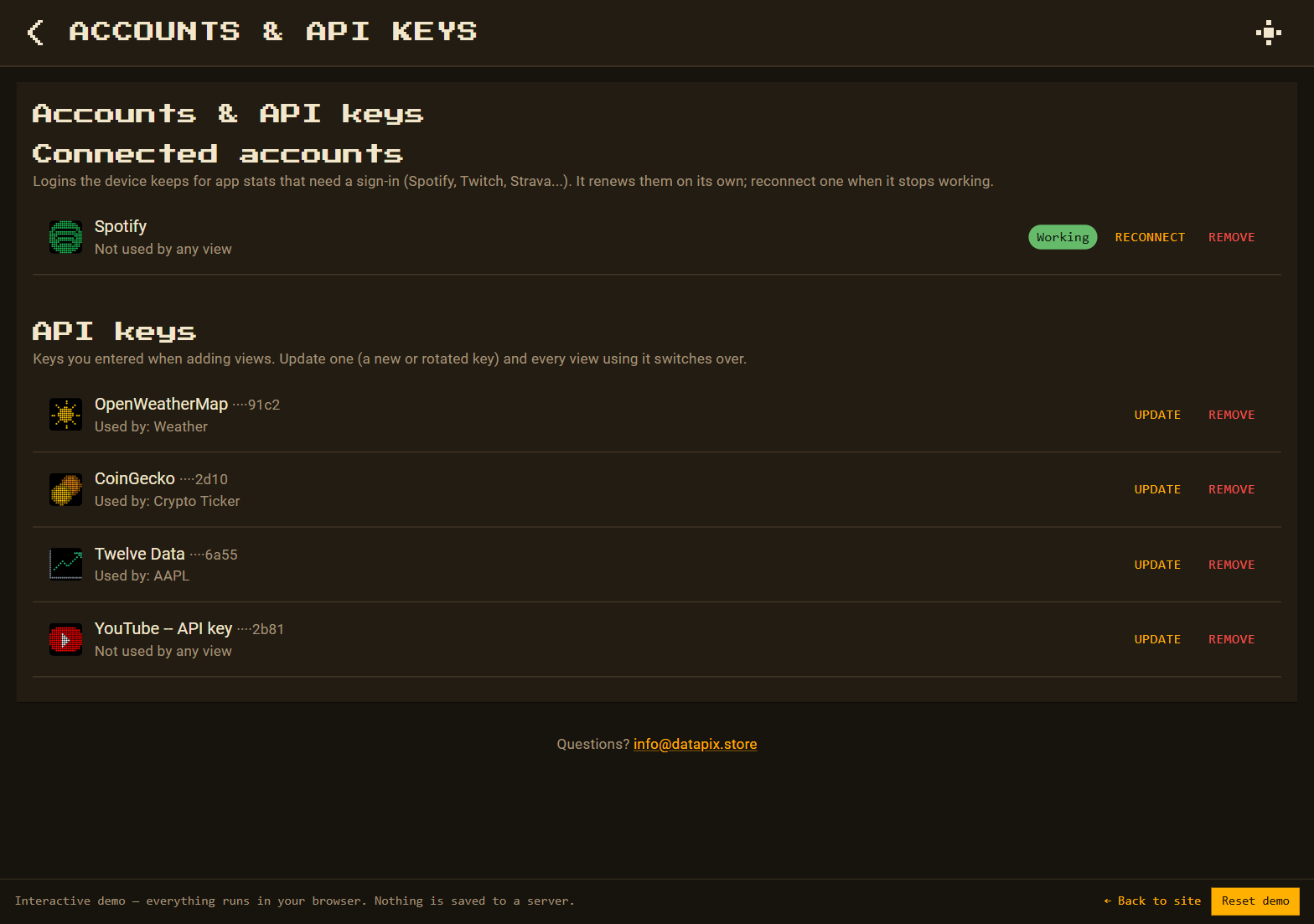
Every sign-in and saved API key lives on one page, with the views that use each one. Logins renew themselves; when one can't, you reconnect it in a minute.
What you need
- A DataPix, powered on and joined to your WiFi (see Setup).
Step by step
-
Open Accounts & API keys
It's a tile on the home screen of the setup page.

-
Connected accounts
Each sign-in shows its app, which views use it, and whether it's Working or Needs reconnecting (with the reason). Reconnect opens the app's setup steps and signs in again under the same account, so the views keep working. Remove deletes it.
-
API keys
Each saved key shows its service, its last four characters, and which views use it. Update takes the new key and switches every view that uses the old one. Remove stops it being offered for new views; views that already use it keep their copy.
Keys and sign-ins never leave the device in exported views. A sign-in you start and then cancel is removed again by itself.